Getting Started
Are you new to the Keyavi API? If so, read through this section to get up and running.
API Details
You need a few pieces of important information to use the Keyavi API. When you're working with Keyavi Professional Services to set up the Keyavi API, they'll provide a few pieces of important information to use the Keyavi API. Treat each API detail like you would a password and keep it confidential.
-
Subscription Key—Each developer needs a subscription key required when calling Keyavi APIs. You'll receive a separate email with a link to the Developer Portal where you can view and manage subscription keys.
-
Super user—Keyavi restricts access to each endpoint through roles and permissions. So you can start developing, Keyavi grants all roles to a single super user. Use the super user to configure the roles for the rest of the users in your organization.
-
Identity Providers—You can authenticate with various identity providers (IdP), such as Google, Microsoft Entra ID, Microsoft Account, Facebook, and Apple. For each configured Identity Provider, you'll need the following details:
-
Tenant ID for your Keyavi API—You'll need the tenant id to authenticate with Keyavi. It's used in the URL of the authentication request.
-
Client ID and Client Secret—To authenticate, you also need the client ID and secret for each Identity Provider configured in your Keyavi node.
-
Scope—Each IdP includes two scopes, one for user authentication (ends with
/access_as_user) and another for client app authentication (ends with/.default). The scope is a URI composed of the client ID.
-
-
Base URL—The base URL which provides the starting point for all requests. Keyavi determines your base URL during configuration and it will look like
https://<Custom API URL>/api/.
Subscription Keys
Keyavi manages access to the Keyavi APIs with subscription keys. You must include a subscription key in the headers of your HTTP requests. The subscription key ensures secure and authorized access to the API.
Subscription keys are distributed in the Developer Portal. You'll receive two emails when you're set up in the Developer Portal and when you're issued a subscription key. Be sure to keep the subscription key secure and never share it publicly. View, manage, or regenerate your subscription keys in the Keyavi Developer Portal.
Developer Portal
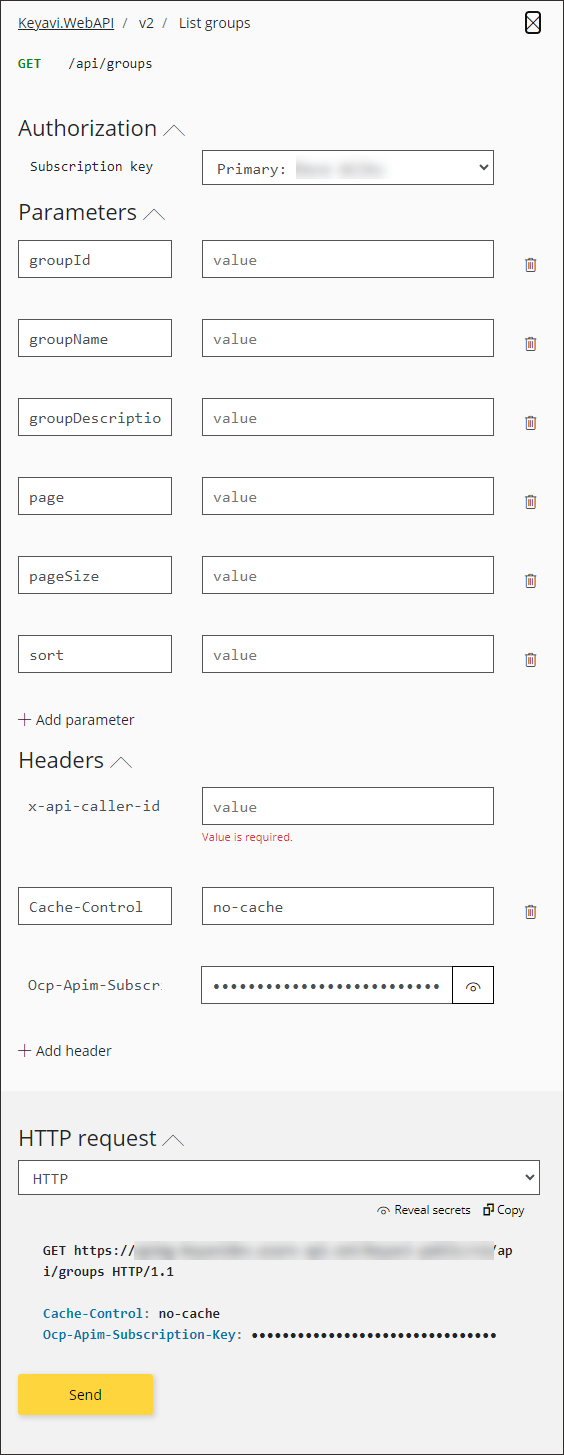
In addition to managing your subscription keys, the Keyavi Developer Portal includes detailed API reference documentation for every endpoint. Your Developer Portal is accessible through a unique URL configured for your organization.
When you're logged in, you can test every API call using the Try it button. Clicking Try it brings up an interactive panel with your subscription key already applied. Provide any parameters that you'd like, and add an authorized user A recipient with access to the secured data file. The data owner defines the authorized users. email to the
 x-api-caller-id header. After you construct the request, click Send.
Set up authentication for users and client apps.